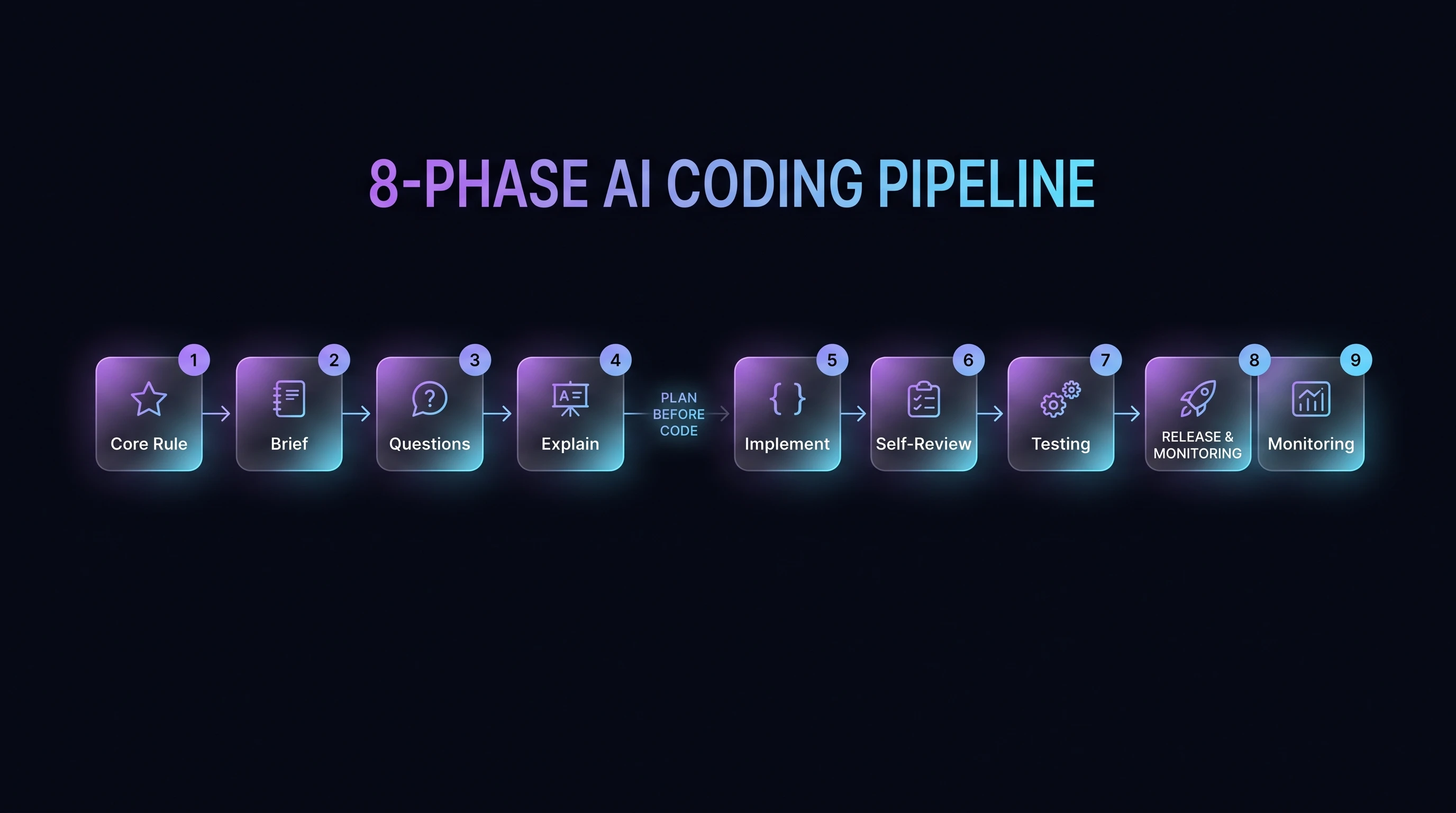
Phase 1 — Project / Feature Brief
Use this prompt first.
Phase 2 — Answer Questions
After reviewing
docs//feature-plan/01-questions-and-decisions.md,
answer directly
inside the markdown file.
Then use this prompt:
I have answered the questions in `docs//feature-plan/01-questions-and-decisions.md`. Please re-read: - `docs//feature-plan/00-brief.md` - `docs//feature-plan/01-questions-and-decisions.md` - `docs//feature-plan/02-technical-plan.md` - `docs//feature-plan/03-risk-and-safety-review.md` - `docs//feature-plan/04-test-plan.md` - `docs//feature-plan/05-release-checklist.md` Then update the technical plan, risk review, test plan, and release checklist based on my answers. Before coding, summarize: 1. The final agreed scope. 2. Any decisions I made. 3. Any assumptions still remaining. 4. The first small implementation step you recommend. 5. The exact files you expect to edit first. Do not start coding until I approve the implementation step.
Phase 3 — Junior Developer Explanation
Use this whenever you do not understand part of the plan.
Phase 4 — Implementation in Small Steps
Use this when you are ready to let the AI code.
Phase 5 — Self-Review Before Testing
Run this after each implementation step.
Review your own changes before we run tests. Check for: - TypeScript errors. - Lint issues. - Incorrect assumptions. - Security issues. - Missing validation. - Missing authorization checks. - Race conditions. - Poor error handling. - Broken loading states. - Broken empty states. - Broken mobile layout. - Accessibility issues. - Performance problems. - Unnecessary complexity. - Tests that should be added. Be critical. Look for bugs as if you are reviewing someone else's pull request. Return: 1. Potential issues found. 2. Fixes you recommend now. 3. Fixes that can wait. 4. Whether this is safe to test.
Phase 6 — Testing
Use this prompt before accepting the feature.
Create a complete test checklist for this feature. Include: ## Automated tests - Unit tests. - Integration tests. - Component tests. - End-to-end tests. - API tests. - Database/migration tests, if relevant. - Permission/authentication tests. - Regression tests for existing behaviour. For each test, say: - What it proves. - What file it should live in. - What command should run it. - Whether it is essential before release. ## Manual tests Include tests for: - Happy path. - Empty state. - Error state. - Slow network. - Invalid input. - Permission denied. - Mobile layout. - Refreshing the page. - Going back/forward in the browser. - Multiple users or sessions, if relevant. - Data persistence. - Accessibility using keyboard only. - Production-like environment. ## Behind-the-UI tests List ways to verify the feature is working beyond just clicking the UI, such as: - Inspecting database rows. - Checking API responses. - Checking server logs. - Checking browser console logs. - Checking network requests. - Checking analytics events. - Checking background jobs. - Checking emails/webhooks, if relevant. - Checking error monitoring. End with a clear release confidence rating from 0–100%.
Phase 7 — Production Release Checklist
Use this before deploying.
Prepare a production release checklist. Include: - Final scope summary. - Files changed. - Database migrations. - Environment variables. - Feature flags. - Security review. - Privacy review. - Performance review. - Accessibility review. - Error handling review. - Logging/monitoring review. - Rollback plan. - Manual QA checklist. - Automated test results. - Known limitations. - Post-release checks. Also answer: 1. What is the worst realistic failure mode? 2. How would we detect it quickly? 3. How would we roll back safely? 4. Is this safe to release now? Give a release confidence score from 0–100%. Do not say it is production ready unless the evidence supports it.
Phase 8 — Post-Release Monitoring
Use this after deployment.